Auto Hold Not Working as Expected? Check the Conditions Before Parts
An enabled setting does not always mean the vehicle is actively being held. Understand the indicators and conditions before assuming a part has failed.
Auto Hold can make waiting at a traffic light more comfortable by maintaining a stop without continuous pressure on the brake pedal. But when it behaves differently from what you expect, it is easy to confuse a setting, an operating condition and a fault.
For drivers in Bolton and Caledon, the starting point is the owner's manual for the exact vehicle. Before replacing a switch or assuming the brakes need parts, establish what the system is supposed to do, what the display showed and what actually happened. If the vehicle moves unexpectedly, use the brake pedal immediately; do not rely on a feature you are unsure about.
Enabled and actively holding are different questions
A selected setting tells you the feature has been requested. It does not necessarily establish that the vehicle is being held at that moment. Learn the meaning of the active indicator in your own instrument display rather than treating a light on a console button as a universal confirmation.
Ford's Auto Hold instructions, for example, describe a display indicator that illuminates when the vehicle has stopped and the system is holding it. They also specify sufficient brake pressure to reach a standstill. These details matter when describing a concern, but they should not be used as instructions for every make and model.
When booking, distinguish “I could not enable the setting” from “the setting was on, but the active symbol did not appear.” Those are different observations. Neither one, by itself, identifies a failed switch or brake component.
Operating conditions vary between vehicles
There is no single list of conditions that applies to every system carrying the Auto Hold name. Gear selection, driver-door status and other inputs may affect availability. Check the relevant manual section before comparing your vehicle with another car in the household.
A useful example of the differences is reverse operation. The Ford guidance linked here describes circumstances in which reverse selection prevents or cancels holding. By contrast, Volvo's EC40 instructions describe availability in both Drive and Reverse, with the driver's seat belt fastened and door closed. That contrast shows why an internet explanation for the wrong vehicle can send you toward an unnecessary repair.
Do not open a door, remove your seat belt or change gears as an experiment to see whether the vehicle rolls. Record conditions you noticed during ordinary use and let a technician assess an unresolved concern safely.
A change to Park may have an explanation
Some vehicles can transition from holding at a stop to a parked state under specified conditions. Volvo's EC40 guidance describes a transition to Park after an extended hold or when the driver opens the door or unbuckles. This is a specific example, not a promise about what another vehicle will do.
If you notice a different symbol or gear indication, record it accurately. “It went into Park” gives the shop different information from “the Auto Hold symbol disappeared.” If you are uncertain which occurred, say that rather than filling in the gap with a guess.
Always secure the vehicle using the parking procedure in its manual before getting out. Auto Hold should not be your substitute for deliberately parking and confirming that the vehicle is secure.
Give the shop a short sequence of events
For an intermittent concern, a simple sequence can be more useful than a list of suspected parts. Describe the point at which the behaviour changed: initial start, first stop, later in the drive, or when moving away from a stop. Include a warning message exactly as displayed if you can record it safely.
Useful information includes:
- Your vehicle's year, make, model and relevant powertrain type.
- Whether Auto Hold had worked normally before this incident.
- Whether the feature was selected and whether an active indicator appeared.
- Any brake, stability-control or other warning messages shown at the same time.
- Recent work or setting changes, without assuming they caused the problem.
Take photographs only when safely parked. Do not reach for your phone in traffic to capture a symbol. There is also no need to recreate unexpected movement just to produce a better demonstration for the appointment.
Report braking changes separately
A question about an assistance feature should not hide a change in normal braking. If the pedal feels unusual, stopping performance changes, or the vehicle moves when you expect it to remain stationary, make that the first point in your description.
Follow the owner's manual's instructions for warnings and stop safely if you cannot rely on the brakes. Seek advice about recovery rather than continuing to test the system on public roads. A familiar-looking Auto Hold symbol is not a reason to dismiss a serious braking symptom.
Similarly, avoid trying to force the vehicle to move by repeatedly adding throttle when it does not release as expected. Keep the vehicle controlled, consult the correct instructions and arrange assessment if the cause is unclear. The goal is to identify the condition, not to overpower it.
Ask what supports the proposed repair
A useful assessment should separate expected operation from a fault that can be demonstrated or supported by diagnostic evidence. Ask whether the system's operating requirements were met, what the technician found and how that finding explains your report.
If a component is recommended, ask what test supports replacing that particular part. The name Auto Hold covers a function; it is not a diagnosis of one component. If the issue cannot be reproduced, agree on what further information would help rather than treating an uncertain parts replacement as the only next step.
After any repair, ask how the original concern was checked. The relevant result is correct operation under the conditions you reported, alongside any required brake-system checks. For help arranging an assessment, review Albion Auto Service's brake repair information or contact the shop with the vehicle details and symptom history.
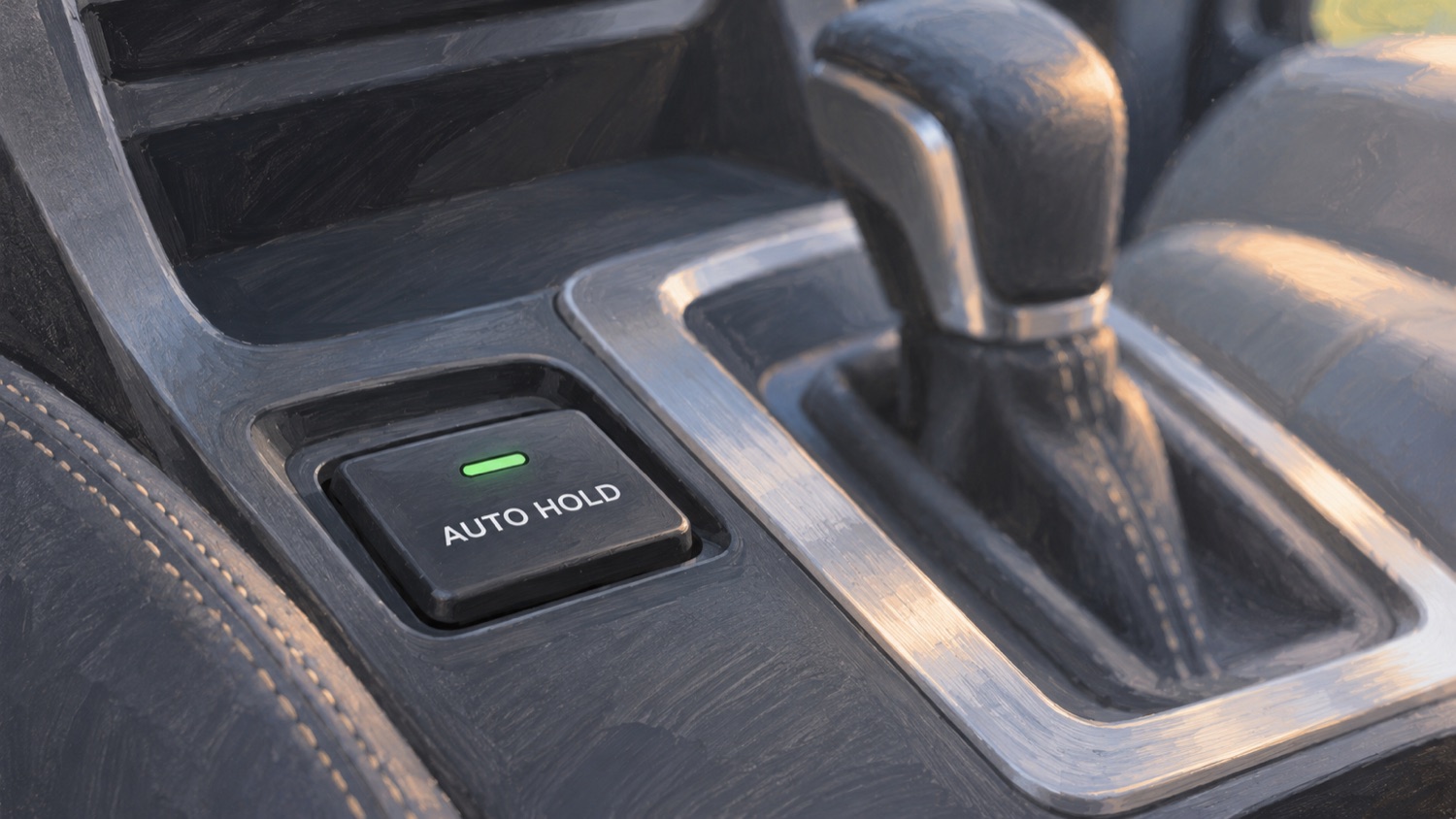
Featured artwork is an AI-generated illustration of a generic Auto Hold control. Indicator meanings and control layouts vary by vehicle.
Common questions
Does a selected Auto Hold setting mean the vehicle is being held?
Not necessarily. Check the meaning of the active indicator and operating requirements in your exact vehicle’s manual.
Does Auto Hold work in Reverse on every vehicle?
No universal rule applies. Manufacturer instructions differ, so use the manual for your model and equipment.
Should I replace the Auto Hold switch first?
Only if diagnosis supports that repair. Start with the reported behaviour, required operating conditions and any warning messages.