Backup Camera Missing or Unclear? Describe the Image Before Replacing Parts
A missing image does not identify a failed camera. Record the display behaviour and conditions, check the vehicle guidance and arrange diagnosis before buying parts.
A backup camera can become difficult to use in several different ways. The screen may stay black, the picture may look cloudy, or the image may appear only some of the time. Describing all of these as “the camera is broken” skips information that can help direct the inspection.
For owners in Bolton and Caledon, the first priority is safe visibility. The next is a useful record of what the display actually does. A missing image is a symptom; it does not, on its own, prove that the camera, screen or another component needs replacement.
Stop the manoeuvre if you cannot confirm the path
Do not keep reversing while studying an unreliable display. Stop and make sure the area is clear before deciding how to proceed. NHTSA describes backup cameras as an aid that complements mirrors and looking behind the vehicle, rather than replacing those checks.
If the image appears frozen, do not treat it as a live view. If you cannot establish that the path is clear, do not continue the manoeuvre. Keep people out of the vehicle's path; do not ask someone to stand behind it to test whether a camera or alert detects them.
The same caution applies when the display works again. A picture returning briefly does not establish that an intermittent problem has been repaired. Arrange assessment if the concern persists or returns.
Separate a missing picture from a poor picture
Once safely parked, write a short description of what you already observed. A few specific details are more useful than a long list of suspected parts.
- Did the display change to the camera view but show a blank area?
- Did an error message appear, and what was its exact wording?
- Was there a picture that was blurred, dark, distorted or apparently frozen?
- Did other display functions appear to work normally?
- If the vehicle has several camera views, was one affected or were several unavailable?
Record only what you know. If you did not check another function, say that it is unknown. Do not repeatedly shift into and out of Reverse or move the vehicle just to fill in every answer. The shop can reproduce the concern under controlled conditions.
Look for an external obstruction safely
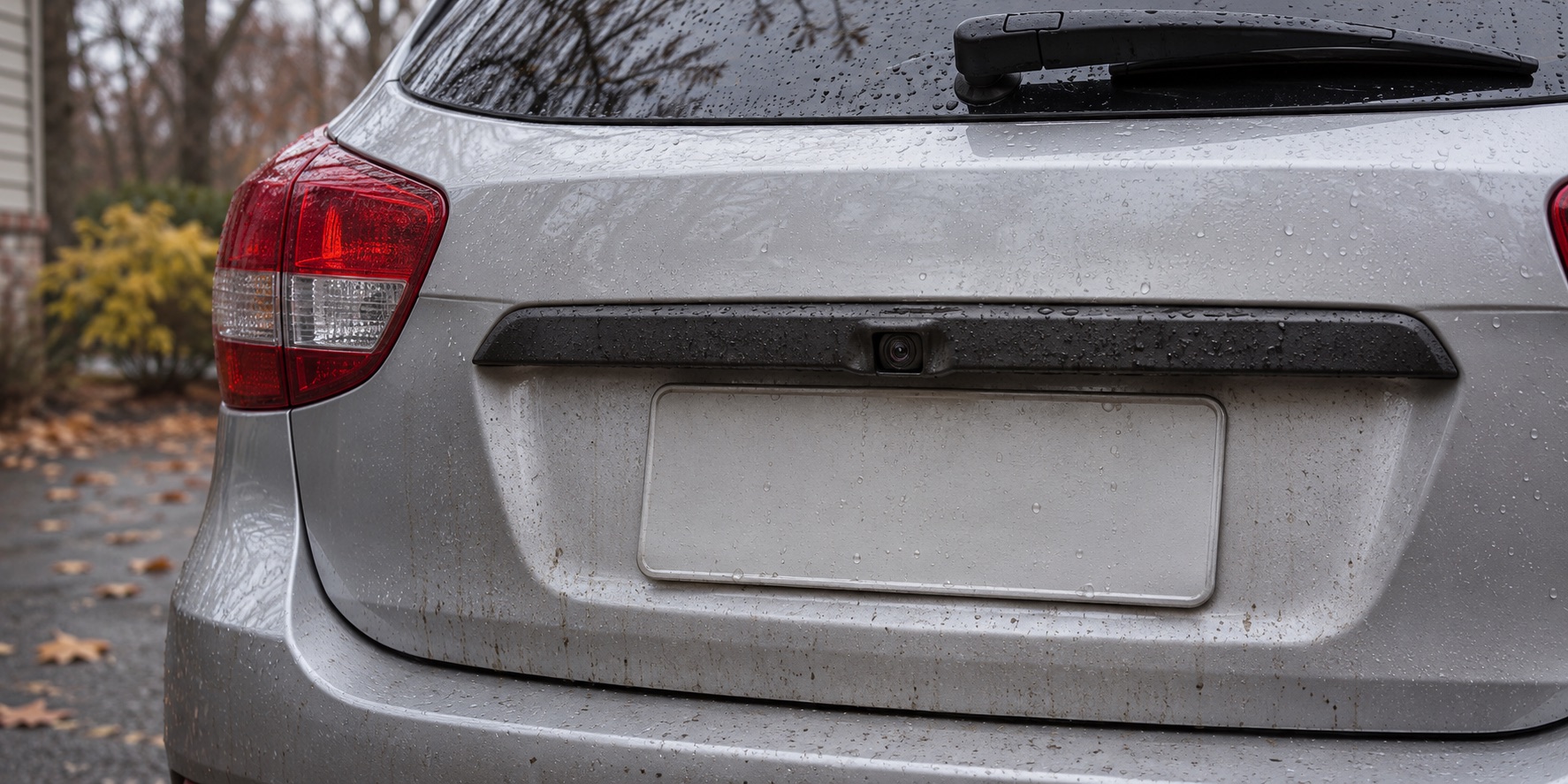
Use the owner's manual to locate the camera and read its cleaning guidance. Do not assume that every small sensor or lens on the rear of the vehicle serves the same function. Check only from outside with the vehicle securely parked and unable to move.
Ford's linked camera-limitations guidance lists an obstructed camera as one reason its covered system may not operate correctly. It recommends a soft, lint-free cloth and non-abrasive cleaner. Apply the instructions for your own vehicle, including any restrictions on cleaners or washing equipment.
Do not scrape a lens with a sharp tool, try to polish it with an abrasive product or dismantle the camera housing. If you can safely remove ordinary surface contamination using the prescribed method, note whether that changed the image. A persistent problem still needs investigation; cleaning is not a universal cure for a blank display.
Record lighting and the vehicle's condition
Note whether the issue occurred in daylight, after dark, during rain or after a wash. Include whether the rear hatch or door was fully closed, and mention any recent damage or repair near the camera. Do not assume that the weather or the last repair caused the fault simply because the timing overlaps.
For its covered system, Ford also identifies darkness with inoperative reverse lamps and camera misalignment related to an open rear door or rear damage as limitations. These examples explain why the surrounding conditions matter; they are not a diagnosis for every make and model.
If you have noticed another rear-light or door warning, share it separately. Avoid improvising a lamp test that leaves the vehicle in gear while you walk behind it. Inspection should establish how the observations relate, rather than asking you to recreate an unsafe situation.
Preserve the message and the timeline
A photograph of an error screen can be useful if it is taken while safely stationary. Never use a phone to document the screen while driving or reversing. If you cannot capture it safely, write down the wording afterward.
Record the first occurrence, how often it happens and whether it changes after a normal restart. Include recent battery work, software work, accessory installation or collision repairs if relevant. You do not need to prove a connection; an accurate timeline helps the technician decide what to check.
Keep any existing repair invoices with the notes. If the camera is aftermarket, provide its brand, model and installation paperwork when available. Instructions for the original factory system may not apply to an added camera or replacement display.
Avoid resets and replacement guesses
Before disconnecting a battery, clearing stored information or trying an online reset sequence, ask for guidance appropriate to the vehicle. Random changes can make the original behaviour harder to describe. Follow documented manufacturer instructions rather than a procedure for a similar-looking screen.
A useful diagnosis should explain what was confirmed and why a particular correction is proposed. Ask whether the concern was reproduced, what checks support the finding and how the camera image will be verified afterward. If a part is recommended, its name should follow the evidence, not substitute for it.
A repair conversation can also identify whether the vehicle manufacturer needs to be involved for model-specific support. Do not assume that a problem reported by another owner applies to your vehicle or guarantees the same repair.
Make the booking description useful
Have the vehicle year and model, exact symptom, warning text and relevant history ready. Explain if the problem prevents you from safely manoeuvring where the vehicle is currently parked. That matters before deciding how to bring it in.
Review Albion Auto Service's services or contact the shop to describe the concern. Clear observations help focus the inspection and avoid buying a camera or display before the cause has been established.
Featured image: AI-generated illustration, not a photograph of Albion Auto Service or a customer's vehicle.
Common questions
Does a black camera screen mean the camera needs replacement?
No. A blank image is a symptom. The system needs diagnosis before a component is selected for replacement.
Can dirt affect the rear-camera image?
An obstruction can affect the image. Locate and clean the lens only as directed in your vehicle manual, with the vehicle securely parked.
Can I rely on a camera image that appears frozen?
No. Stop the manoeuvre and establish that the path is clear. A frozen picture must not be treated as a live view.